A GoHighLevel white label theme, in 27 coats
Pick one of 27 complete themes, add one of 11 UI kits and switch on dark mode, and all of GoHighLevel changes: sidebar, header, cards, tables and the blues it hard-codes. No GHL custom CSS to write. Included from Bath & Brush ($127 once).
Midnight EmberSidebar
Arctic CleanTop bar
Ocean GlassSidebar
Forest FinanceSidebar
Neon NightsSidebar
Mono StudioTop bar
Sunset CoralSidebar
Royal Navy & GoldSidebar
Lavender DreamSidebar
Slate CorporateSidebar
AuroraSidebar
Desert SandTop bar
Midnight SkySidebar
Editorial StudioSidebar
Cinematic CitySidebar
Care DeskSidebar
Prism ProSidebar
Pastel MeshTop bar
Alpine GlassSidebar
Creative AgencyTop bar
Golden HourSidebar
Deep SpaceSidebar
Cyber LimeSidebar
Holo PearlSidebar
Graphite ProDark
Obsidian OLEDDark
Midnight MintDark
Try every GHL theme on a real dashboard
Start with Cyber Lime and the Soft Shadow kit, then flip through the picks or open all 27. The Dark mode chip moves to the contacts page so you can judge the dark palette on a busy table.
Warming up the live preview
Cyber LimePick a theme, then layer a UI kit and dark mode on top. It is the same engine and CSS your clients would load inside GoHighLevel.
Stock GoHighLevel looks like every other shop's
White-label settings swap a logo and a couple of colors, then GoHighLevel blue keeps peeking through every tab and button. A theme replaces the whole coat at once, so a pet parent's first login and your groomer's hundredth both feel like your brand.
Before
- Shared sidebar, your logo on top
- Blue buttons that fight your brand
- Flat cards and tables
- Bright white all evening
After
- Sidebar, header and background in brand
- Hard-coded blues remapped
- A UI kit on every component
- Dark mode for late bookings
Six things every theme controls
27 complete themes
Sidebar, header, page background, type, radius, UI kit and a matching login page, set together so nothing clashes.
11 UI kits
Soft Shadow, Bordered Flat, Elevated, Glass, Accent Top and more: one click restyles cards, buttons, inputs, tables, tabs and modals.
Dark mode
A dark palette for surfaces, borders and text on GoHighLevel pages, kinder on the eyes during evening admin.
Color remap
Finds the blues GoHighLevel hard-codes across its pages and swaps every one for your brand color.
Sidebar or top bar
Keep the menu on the left or move it across the top. Both layouts come with every account.
Privacy mode
An eye button in the header blurs names, emails and phone numbers, handy when a client is standing at the counter.
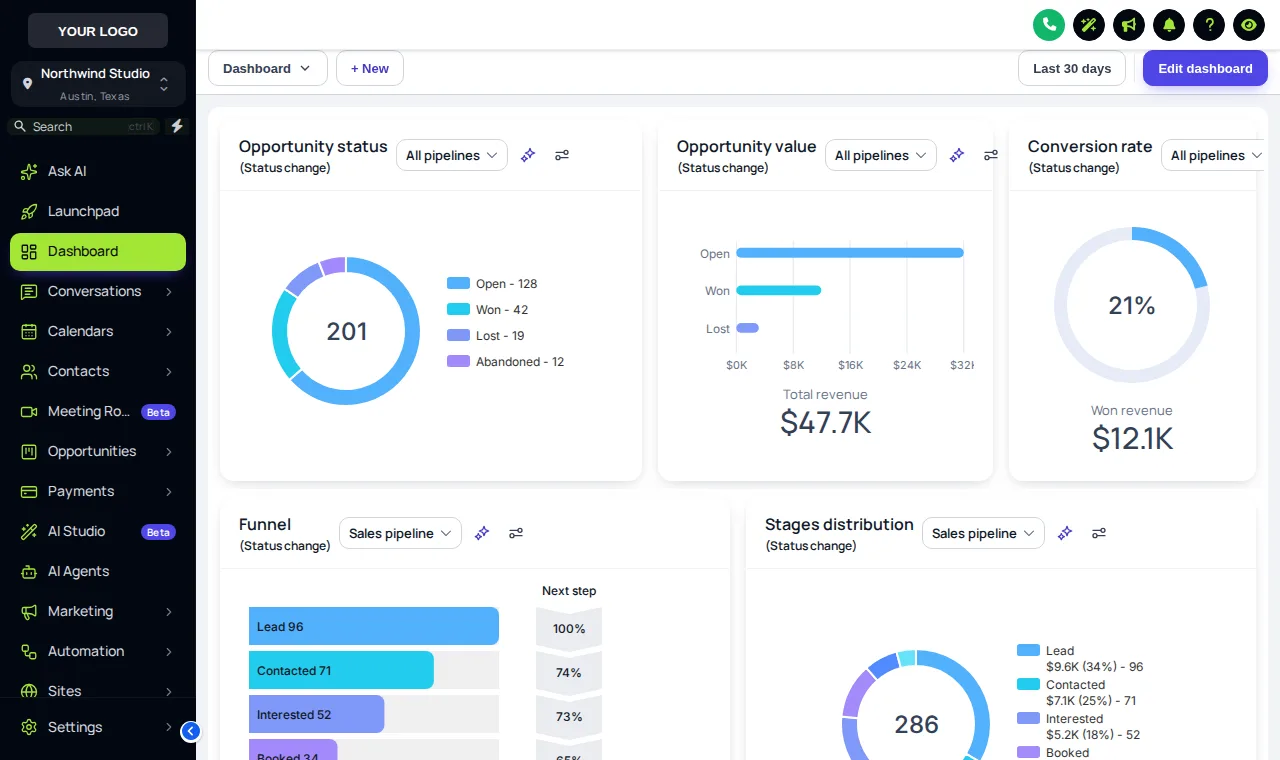
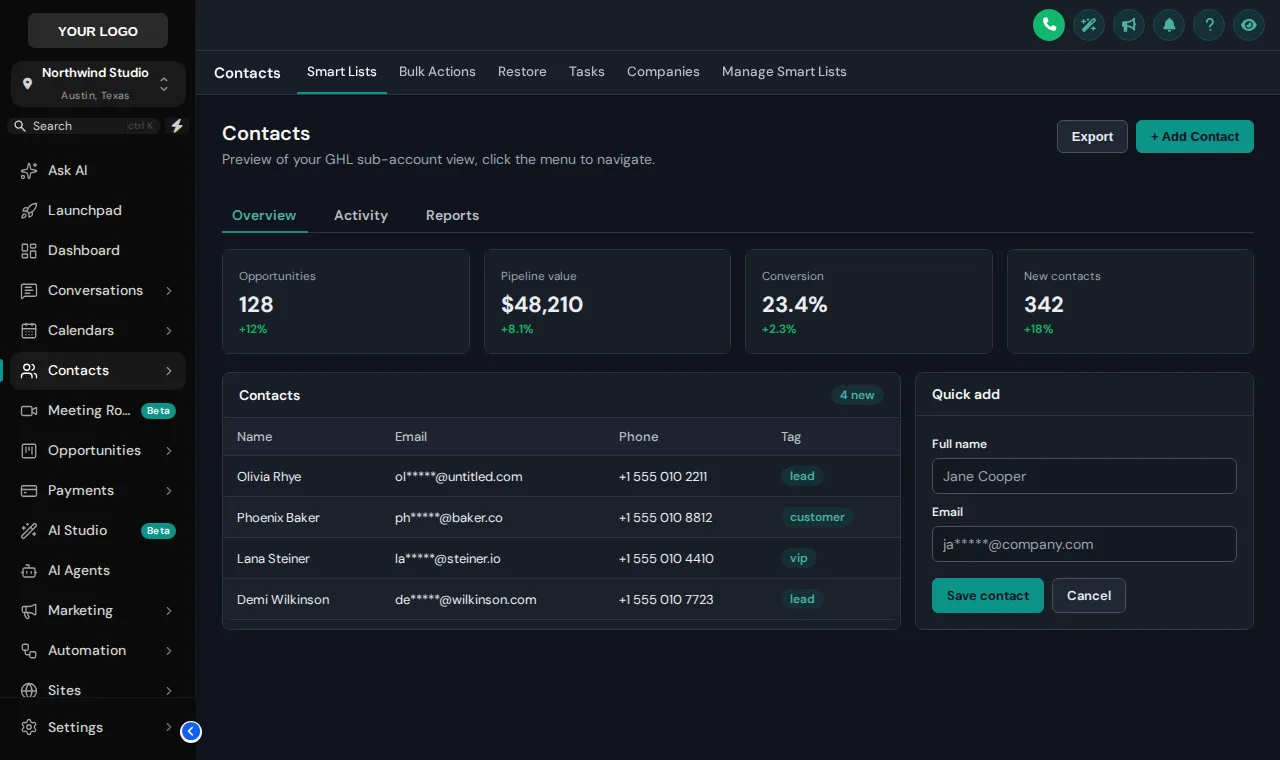
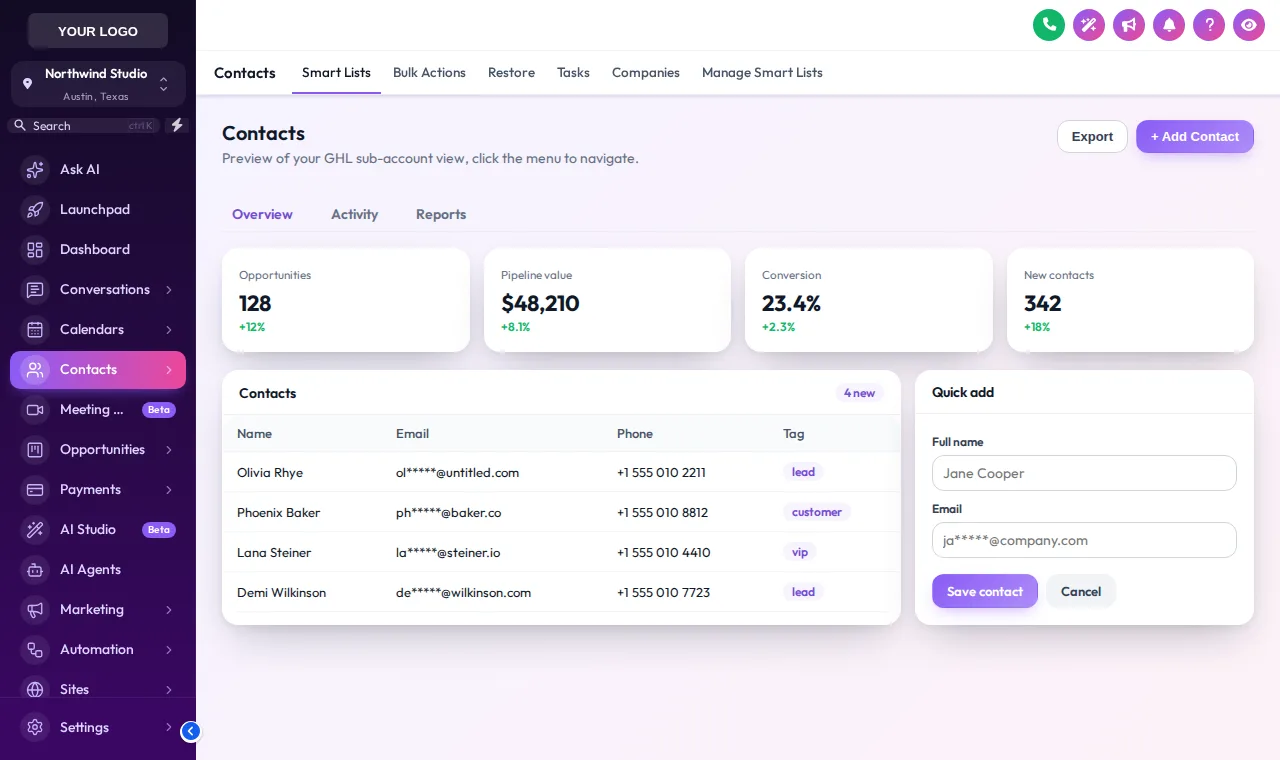
Screens we took with the real engine
No mock-ups: each is a screenshot of a GoHighLevel copy restyled by the customizer, the same thing your sub-accounts would load.
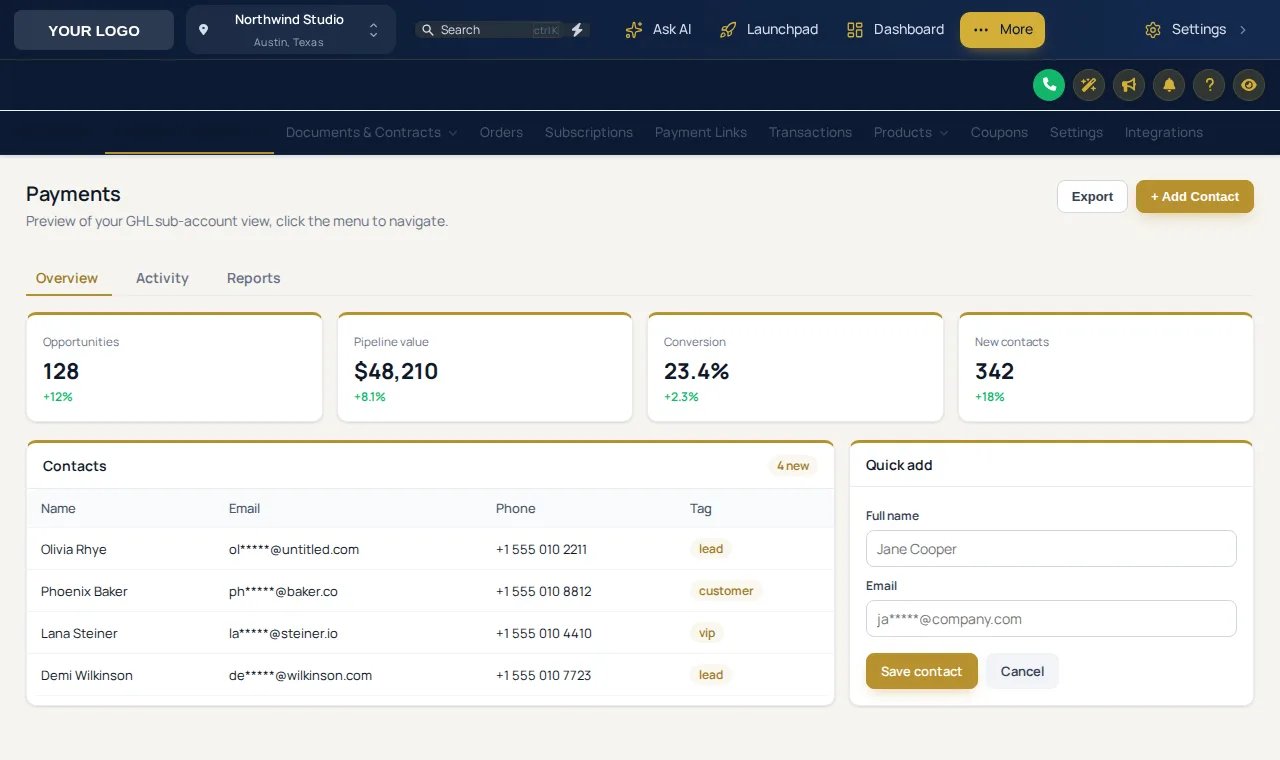
Matching the theme to the shop
A theme is a brand decision, not decoration. These pairings work well for pet-care businesses; all of them can be tried in the gallery above.
Boutique salon with a gold or cream brand
Royal Navy and Gold or Desert Sand, with the Soft Shadow kit. Calm, premium and close to this site's own palette.
Mobile van with a bold wrap
Neon Nights or Cyber Lime echo a bright van livery, so the team recognises their own system at a glance.
Front desk working late
Editorial Studio or Graphite Pro with dark mode for the evening rebooking and invoice run.
How to apply a GHL theme
Open the theme gallery
Log in to your GHL Customizer account and open Themes. All 27 sit in one gallery with a live preview beside them.
Pick a coat, then a finish
Choose the theme closest to your brand, then layer one of the 11 UI kits on top for the cards, buttons and tables.
Swap in your colors and logo
Set your brand color (the remap carries it into every place GoHighLevel hard-codes its blue), upload your logo and switch on dark mode if your team wants it.
Save, and it is live
With the loader line already in Custom JS, your sub-accounts pick up the new look on their next page load. Nothing to re-paste.
Themes, UI kits and dark mode comes with Bath & Brush at $127 one time, and with Full Groom and Best in Show.
GHL theme and dark mode questions
What a theme changes, what it cannot, and how dark mode behaves.
What is a GoHighLevel white label theme?
It is a complete visual skin for the GoHighLevel app: sidebar, header, page background, cards, buttons, inputs, tables and modals, in your colors. White-label settings alone change a logo and a few colors; a theme restyles everything your clients and team actually look at.
How many themes and UI kits are there?
27 complete themes and 11 UI kits, all in every account from Bath & Brush up. A theme sets the overall look and layout; a UI kit restyles the components inside the page, so you can mix any kit with any theme.
Do I need to write GHL custom CSS?
No. The editor generates the CSS for you and the loader applies it. If you do like writing CSS, there is still an advanced box for your own rules on top.
How does dark mode work in GoHighLevel?
Dark mode switches GoHighLevel pages to a dark palette for surfaces, borders and text. Some themes are dark by design (Graphite Pro, Obsidian OLED, Midnight Mint), and any theme can be given the dark palette from the editor.
Can I use our exact brand colors?
Yes. Themes are starting points. Every color, font, corner radius and shadow can be changed, and the color remap replaces the blues GoHighLevel hard-codes so your brand color shows in tabs, links and buttons too.
How does the theme reach GoHighLevel?
Through one loader script pasted into Agency Settings, Company, White Label, Custom JS. It fetches your latest saved design and applies it as CSS, which is why a change you save shows up on the next page load without touching GoHighLevel again.
Can I keep the menu on the left, or move it to the top?
Both. Every account can use a sidebar or a top-bar layout. Mega menus and the floating quick menu come with the menu builder in Full Groom and above.
Is there a part of GoHighLevel a theme cannot reach?
A few screens, such as parts of Location Settings, load in a frame from another domain, and browsers block outside styling there. Everything served on your white-label domain picks up the theme.
Wash out the stock blue today
Bath & Brush unlocks all 27 themes, 11 UI kits, dark mode and all 16 login designs for $127, once.
Keep grooming: related parts of the GoHighLevel Theme Builder
GoHighLevel Theme Builder is our name for a self-serve GHL Customizer account, sold by Pet Grooming Snapshot for GHL. We are independent and are not affiliated with, endorsed by or sponsored by HighLevel Inc. GoHighLevel and HighLevel are trademarks of their owner. Template counts on this page come from the live customizer catalog (updated 2026-10-03).